Device Lending
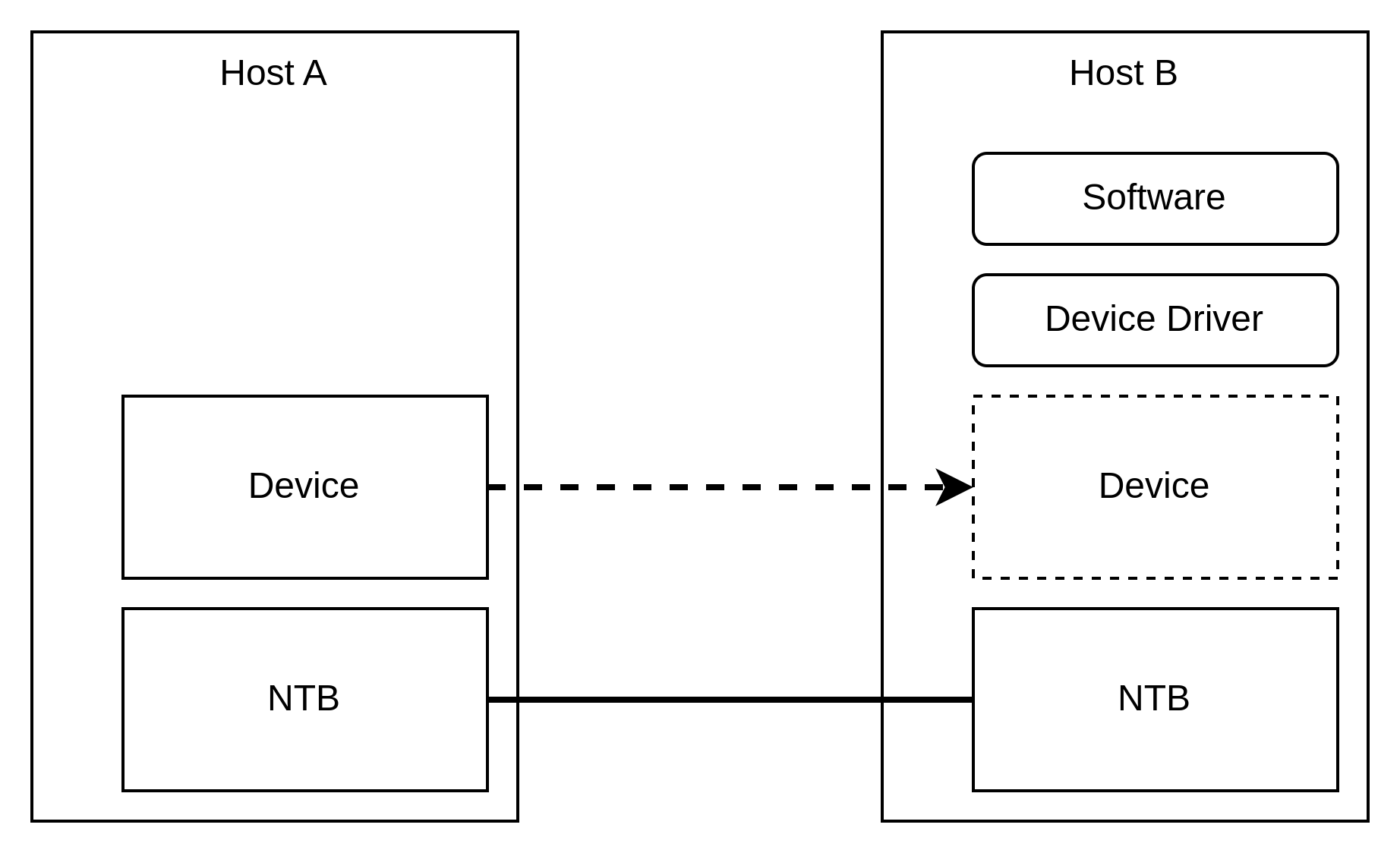
Device Lending allows you to share PCIe devices in a cluster by lending local PCIe devices and borrowing them on other nodes. The borrower uses the native PCIe drivers meaning that unmodified software running on one node can gain access to PCIe devices physically located in another node.
System Requirements
You must have a Dolphin cluster with a topology supported by SmartIO.
The cluster nodes must follow the platform requirements and the lender must support peer-to-peer.
The cluster nodes must run a supported operating system.
The nodes must have a large enough NTB prefetchable size.
Enabling IOMMU is recommended.
eXpressWare Installation
When installing eXpressWare, make sure to request installation of SmartIO,
either interactively or by passing the --enable-smartio argument. Please refer
to the installation guide for more details.
Lending Devices to the Pool
The devices that are going to be shared must be added and made available with
smartio_tool add and smartio_tool available. The lender
must also be connected to all the borrowers with smartio_tool connect. See Lending Local Devices for more details.
Hint
If the device supports SR-IOV, you can lend out individual virtual functions. This allows you to share a single physical device and use it concurrently. The virtual functions must be instanciated before the device is added to SmartIO. Also note that the physical function cannot be lent while SR-IOV is enabled.
Borrowing devices from the Pool
Devices in the pool can be borrowed by nodes to be used like a local device.
You can list the available devices with smartio_tool list and then
borrow a device with smartio_tool borrow. See Using Native Device Drivers for
more details.
Hint
NVIDIA GPUs (and other devices) can utilize peer-to-peer transfers between GPUs to acheive optimal latency and bandwidth. Using SmartIO, devices can even perform peer-to-peer transfers to other devices in the cluster. If your application uses peer-to-peer you should make sure to enable peer-to-peer between the devices in SmartIO. Refer to PCIe Peer-to-Peer for how to enable P2P.
Using devices
After borrowing the devices will operate as a local PCIe device. This means that you can use it the same way you would use a local device. For example, an NVMe drive can be mounted and an NVIDIA GPU can be used to run cuda applications.